

This article is part of the HOGDigest editorial series. → Explore HOGDigest
A Storyboard is an essential tool used to plan, visualize, and organize a project, helping creators bring their ideas to life efficiently. It is widely used in industries like film, animation, advertising, and video production. Whether you're creating a film, an animated short, or a marketing campaign, a storyboard can save you time and help streamline the production process. But what exactly is a storyboard, and why is it so important? Let’s explore!
What is a Storyboard?
In simple terms, a storyboard is a visual representation of a story or project, arranged in sequential panels or frames. It’s like a comic strip where each frame captures a different part of a scene. These panels contain key details, such as camera angles, character actions, dialogue, and scene transitions. By organizing the story in this way, teams can plan out the entire project from start to finish, ensuring every detail is covered.
Whether you're working on a movie, a commercial, or even a social media campaign, the storyboard serves as a blueprint for the entire project. It provides a roadmap that guides directors, writers, and crew members, making sure everyone is on the same page.
Why is a Storyboard Important?
A storyboard is a powerful tool that offers several advantages:
1. Visual Planning and Organization
One of the key benefits of using a storyboard is that it helps with visual planning. By sketching out the scenes ahead of time, you can better understand how the project will unfold. It helps you plan camera angles, lighting, transitions, and other important visual elements before the actual production begins. This level of detail reduces the chances of costly mistakes and ensures that the project stays on track.
2. Streamlining Communication
Clear communication is essential in any collaborative project. A storyboard serves as a common reference point for everyone involved. It allows the director, cinematographer, writer, and other team members to understand the vision of the project. This visual aid improves the efficiency of meetings and discussions, saving time and avoiding miscommunication during the production process.
3. Creative Control
With a storyboard, the creative team can visualize the project in a way that ensures their artistic vision is captured. Whether it’s deciding on lighting, shot composition, or visual effects, the storyboard helps control the creative process. It allows you to experiment with different ideas and find the best way to tell the story visually before committing to expensive production stages.
4. Time and Resource Management
One of the most significant advantages of a storyboard is its ability to save time and resources. Since scenes are planned in advance, everyone knows what to expect during production. This prevents unnecessary delays and avoids wasting valuable resources. By having a clear plan in place, the production team can execute the project efficiently, making sure the shoot stays on schedule.
How to Create a Storyboard?
Creating a storyboard may seem intimidating at first, but with the right approach, it’s a straightforward process. Here’s how to get started:
Step 1: Review the Script
Before you can begin drawing your storyboard, you need to thoroughly review the script. Identify the key scenes and understand the flow of the story. This will help you determine what to focus on when creating each frame of the storyboard.
Step 2: Choose the Right Template
There are many different storyboard templates available online. Some are designed for film, while others are better suited for animation or advertising. Choose a template that suits the type of project you're working on. Each panel will have space for a drawing as well as descriptions of key actions, camera angles, and dialogue.
Step 3: Draw the Scenes
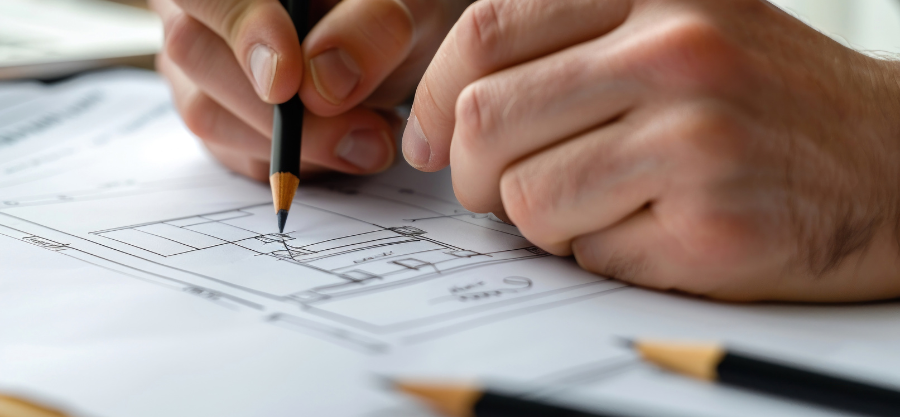
Start sketching out the scenes for each panel of your storyboard. You don’t need to be an artist—basic sketches will suffice to convey the key elements. Focus on the essential aspects, such as the positioning of the characters, the camera angles, and any significant actions or movements.
Step 4: Add Descriptions
In addition to the drawings, each panel should include a written description. This might include dialogue, camera movements, sound effects, or special instructions for the scene. These notes help clarify the vision and make the storyboard a more effective tool for communication among the team.
Step 5: Review and Revise
Once you've completed your storyboard, take the time to review it with the team. Make sure everyone is aligned with the vision and that no crucial details are missing. Incorporate feedback and make necessary revisions before finalizing the storyboard.
Where is a Storyboard Used?
Storyboards are not limited to one particular industry. They are used in a variety of fields to help visualize and plan projects. Here are some common places where storyboards are used:
- Film and Television: Directors and cinematographers use storyboards to plan camera shots, lighting setups, and scene transitions.
- Animation: Animators rely on storyboards to design characters’ movements and ensure the story flows smoothly.
- Advertising: Marketers use storyboards to outline the visual narrative of their campaigns and advertisements.
- Education: Educators and trainers use storyboards to plan lessons and presentations in a visual format.
Storyboard Tools and Resources
Creating a storyboard has never been easier, thanks to a variety of tools available online. Some popular platforms for creating storyboards include:
- Storyboard That: An online tool that allows users to create storyboards with customizable templates and easy drag-and-drop functionality.
- Canva: Known for its user-friendly design tools, Canva also offers storyboard templates for creating visually appealing plans.
- StudioBinder: A professional production management tool that provides advanced features for creating detailed storyboards and organizing projects.
For more detailed information, check out this link about Storyboard.
Conclusion
In conclusion, a storyboard is an invaluable tool for any project, whether it's a film, animation, or advertising campaign. It helps plan, organize, and visualize every aspect of the project before production begins, ensuring that all team members are on the same page. By incorporating a storyboard into your process, you can save time, enhance creativity, and increase overall production efficiency. Don’t underestimate the power of this visual planning tool start creating your storyboard today and set your project on the path to success!
Author's Bio: Sujain Thomas

Sujain Thomas is a freelance content writer and blogger who has written articles for several renowned blogs and websites about Home decor/Diy and various topics to engineer more traffic on websites.She love to decorate home in her free time