


Seller's Guide
STEP BY STEP GUIDE ON HOW TO USE YOUR SELLER HUB
The first step to accessing your seller page/control panel is to log in with your registered and recognised email and password combinations. STEP 2 - SELLER CONTROLS After you have logged in, you will see a menu with different options like; STEP 3 - LISTING A PRODUCT Listing or adding your products is SIMPLE! Just click ADD PRODUCT, fill in the required fields, and hit SAVE — that’s it, YOU’RE DONE! If you need support or require help with anything on your seller hub, simply send us an email to listings@hogfurniture.co and attach a screenshot where necessary.STEP 1 - LOG IN
Recently viewed


Let customers speak for us
Item was delivered early and in good condition too. However I’ve been unable to set it up….

Given its price, the sofa is impressive, and the prompt response from the service team is commendable.

Seamless and accurate with the exact pictures.
Delive was done quickly


l was in doubt while placing order, but convinced when l got my order which is exactly what l fancy, l recommend HOG for your needs.

Your staffs are very polite and respectful. I am enjoying the Mattress.
Thank you.

We couldn’t open it up as the 8-pc Comforter Set was vacuum packed.
We have always been pleased with what HOG Furniture delivers. We trust this to be even better than the image on the website.
HOG Furniture did not let us down. The order
was delivered with the desired speed. Well done!!

Exactly the right height and the right fit in to the desired space!
Worth it!

A must-have!
Fully assembled in minutes; looks as if it has always been here!


We have ordered 3 of this over the course of a few months. The more you use one, the more you know how much you need another. Office, store, home !

Exactly what I needed at a reasonable price with fantastic service. Thanks so much HOG

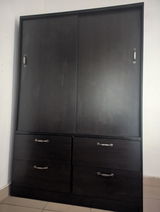
I love and appreciate the quality of the wardrobe and the professionalism of the staff. Great purchase
This is actually my second order. The material for the bunk is solid, and it's easy to assemble.
